What Is Payroll Automation? Definition, Features, Benefits, and How to Implement It

Robbin Schuchmann
Co-founder, Employ Borderless
Payroll automation is the use of software to handle employee compensation tasks with minimal human input, replacing manual calculations, spreadsheet entries, and paper-based processes with a system that runs them automatically. The average payroll error costs $291 to fix, and a company with 1,000 employees can lose up to $922,000 annually from those corrections, according to the Ernst and Young survey titled "EY Survey: Payroll Errors Average $291 Each, Impacting the Economy." 99% of organizations still process payroll retroactively and average more than 345 off-cycle payments in the past year because of errors, according to Workday's research titled "Taking Global Payroll to New Heights." That is the problem payroll automation solves.
- Cost per payroll error: $291 per incident, per EY research - rising to $922,000 annually for a 1,000-person company.
- Off-cycle payments: 99% of organizations process payroll retroactively, averaging more than 345 off-cycle runs per year due to errors.
- Payroll complexity: 87% of payroll professionals cite growing complexity as one of their biggest challenges.
- Time savings: Companies using payroll and HR automation report 37% time savings in payroll administration versus manual processes.
- IRS penalties: Failure-to-deposit penalties range from 2% to 15% of the unpaid amount for late federal tax deposits.
This guide covers how payroll automation works, the core features of automated payroll systems, how automated and manual payroll compare, the steps to implement automation, and the benefits and challenges to expect.
What is payroll automation?
Payroll automation is the process of using software to replace manual payroll tasks with a system that executes each step automatically based on predefined rules. These tasks include calculating gross and net pay, withholding taxes, filing payroll tax returns, distributing payments, and generating pay stubs.
A payroll automation system does not replace the payroll function. It removes the manual execution work so the people running payroll can focus on reviewing exceptions, resolving disputes, and managing compliance instead of re-entering the same data into multiple systems every cycle. 87% of payroll professionals say that growing payroll complexity is one of their biggest challenges, according to Workday research titled "The Strategic Ascent of Global Payroll." Automation addresses that complexity without requiring proportional increases in staff.
How does payroll automation work?
Payroll automation works by collecting time and attendance data, employee records, and compliance rules into a single system that calculates pay, applies deductions, processes payments, and generates reports automatically each cycle.
Collecting time and attendance data
Automated payroll systems pull time and attendance data directly from time-tracking tools, biometric clocks, or mobile apps, removing manual timesheet entry. The system imports clock-in and clock-out records, applies overtime rules, accounts for approved leave, and flags discrepancies for manager review. Errors from manual timesheet transcription - which account for a large share of downstream calculation mistakes - are removed at the source.
Integrating with employee records
The payroll system maintains a live connection to employee records containing pay rates, tax withholding elections, benefits enrollment, and employment classification. When an employee submits a new W-4, updates their bank account, or receives a pay increase, the change flows directly into the payroll calculation without a separate manual entry. This prevents the data discrepancies that occur when HR and payroll systems are maintained separately.
Calculating pay and deductions
Automated payroll systems calculate gross pay, apply overtime rules, subtract mandatory deductions such as federal and state income taxes, FICA, and Medicare, and process voluntary deductions like retirement contributions and health insurance premiums. Each calculation follows the same algorithm every cycle. Unlike manual processes - where an incorrect overtime calculation compounds into subsequent tax withholding figures - automated systems apply deduction rules sequentially and consistently across every employee.
Tax compliance and regulatory updates
Automated payroll systems update federal and state tax tables automatically when rates and thresholds change, removing the manual tracking task that causes most compliance lapses in growing businesses. Many systems file payroll tax returns directly with the IRS and state agencies using the EFTPS (Electronic Federal Tax Payment System) for federal deposits. The IRS assesses failure-to-deposit penalties ranging from 2% to 15% of the unpaid amount. Automation removes that risk by scheduling deposits against the payroll calendar in advance.
Direct deposits and payment processing
Payroll automation processes direct deposit instructions and submits ACH (Automated Clearing House) payment files to the bank based on the pay schedule without requiring manual batch submission each cycle. Payments initiate automatically once the payroll run is approved. The system generates pay stubs simultaneously and makes them available through a self-service portal. For organizations still using paper checks, automated systems print and prepare them without manual calculation of each paycheck amount.
Real-time reporting and analytics
Automated payroll systems generate real-time reports on payroll costs, tax liabilities, headcount expenses, and workforce trends without manual data extraction from spreadsheets. Reports sync automatically to connected accounting systems, keeping the general ledger current after every pay run. Finance teams get labor cost visibility in real time instead of waiting for month-end reconciliation - a consolidation that's difficult to replicate manually across multiple departments, cost centers, or countries.
What are the core features of payroll automation systems?
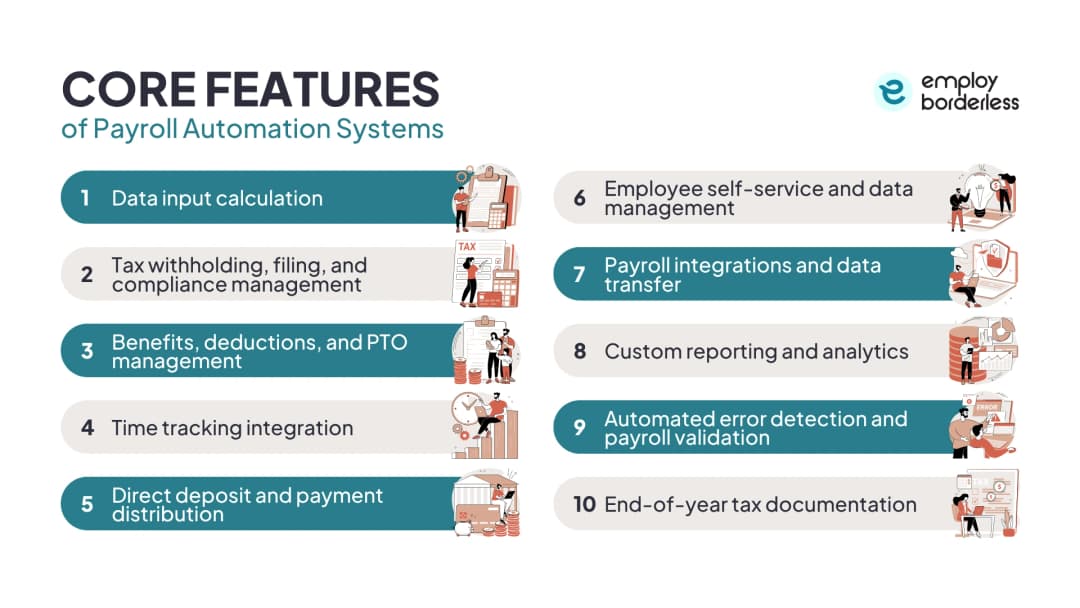
The core features of payroll automation systems are data input calculation, tax withholding and compliance management, benefits and deductions management, time tracking integration, direct deposit processing, employee self-service, system integrations, custom reporting, automated error detection, and end-of-year tax documentation.
The core features of payroll automation systems are given below.
Data input calculation: Automated calculation of gross pay, overtime, commissions, and bonuses based on approved time records and pay rules. The system applies FLSA overtime thresholds and state-specific overtime rules without manual intervention.
Tax withholding, filing, and compliance management: Real-time application of federal, state, and local tax rates to each employee's pay. Systems update tax tables automatically when rates change, and file quarterly and annual returns on schedule.
Benefits, deductions, and PTO management: Processing of pre-tax and post-tax deductions, which include 401(k) contributions, health insurance premiums, FSA contributions, and garnishments issued by the courts. PTO balances update automatically with each pay run.
Time tracking integration: Direct connection to time-tracking systems ensures hours, overtime, and leave are imported without manual re-entry. This helps reduce time-related errors, as one in five payrolls contains errors, with time and attendance issues among the most common and occurring more than once per employee annually, according to an Ernst & Young survey titled "EY Survey: Payroll Errors Average $291 Each, Impacting the Economy."
Direct deposit and payment distribution: Automated ACH file submission for direct deposits, scheduled against the payroll calendar. Payments initiate once payroll is approved without requiring manual batch processing.
Employee self-service and data management: Online portals that allow employees to access pay stubs, update W-4 withholding elections, change direct deposit accounts, and view tax documents without contacting HR. Reduces the volume of routine payroll inquiries the HR team handles each cycle.
Payroll integrations and data transfer: API connections to HRIS platforms, accounting software, benefits providers, and general ledger systems. Data flows between systems automatically, which prevents duplicate entry and reduces reconciliation errors.
Custom reporting and analytics: On-demand and scheduled reports covering payroll costs by department, location, or employee group. Real-time dashboards display labor cost trends and flag anomalies for review.
Automated error detection and payroll validation: Pre-payroll checks that compare the current cycle against prior periods, flag outlier figures, and identify missing data before funds are released. Many systems allow employees to verify their own pay before the run is final.
End-of-year tax documentation: Automated generation and distribution of W-2s, 1099-NECs, and amended W-2c forms. Systems track the January 31 distribution deadline and prepare forms using data already in the system to reduce the manual year-end reconciliation process.
How does automated payroll differ from manual payroll?
Automated payroll differs from manual payroll in time and resource use, accuracy, reporting capability, cost-effectiveness, compliance management, and scalability.
Difference | Manual payroll | Automated payroll |
Time and resources | Hours per cycle, growing with headcount. Manual entry, timesheet chasing, and error correction dominate HR and finance time. | Minutes per cycle. System handles calculations, tax filings, and direct deposits automatically. Staff review exceptions only. |
Accuracy | Error rate averages 1 to 8% of total payroll for paper-based processes. Errors in overtime flow through to tax calculations and net pay. | Algorithm-driven calculations eliminate compounding errors. Tax tables update automatically. EY research puts the average error cost at $291 per incident when using traditional processes. |
Reporting | Manual extraction from spreadsheets. Reports take hours and are often out of date by the time they're complete. | Real-time dashboards and on-demand reports covering payroll costs, tax liabilities, and workforce trends. Data syncs automatically to accounting systems. |
Cost-effectiveness | Higher long-term costs from labor hours, error correction, and compliance penalties. Some small US businesses spend more than $1,000 per month on payroll processing (NSBA survey). | Higher upfront investment in software. Lower total cost over time through reduced labor hours, fewer penalties, and eliminated error correction cycles. |
Compliance | Relies on staff to manually track federal, state, and local law changes. A missed update produces a compliance violation. | Systems update tax tables and compliance rules automatically. Some platforms file directly with government agencies. |
Scalability | Payroll workload increases proportionally with headcount. Manual systems break down as the business grows across locations or states. | Payroll complexity scales without proportional increases in staff. Multi-state and global payroll is handled within the same system. |
How to automate payroll processes?
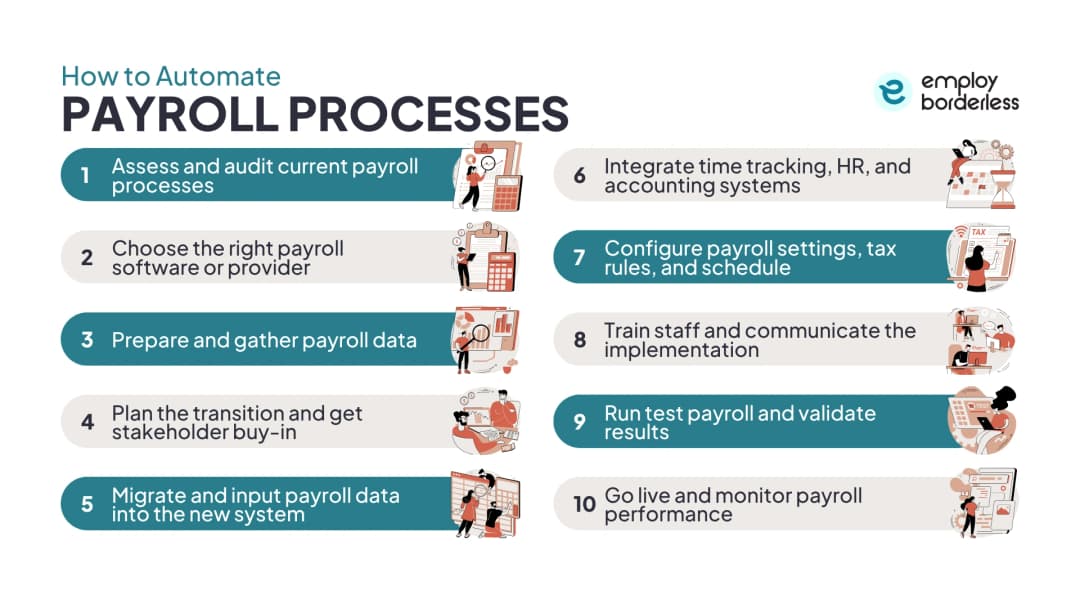
To automate payroll processes, assess your current system, select the right software, prepare and migrate your data, plan the transition with stakeholder input, integrate connected systems, configure payroll rules, train staff, run a test payroll, and go live with ongoing monitoring.
Assess and audit current payroll processes
Map your existing payroll process in detail before selecting software. Identify where errors occur most frequently, which tasks take the most time, and where data moves between systems manually. Businesses that skip this step select tools that solve the wrong problems. Common audit findings include duplicate data entry between the HRIS (Human Resources Information System) and the payroll system, manual overtime calculations that miss state-specific rules, and tax filing deadlines tracked in spreadsheets instead of automated calendars.
Choose the right payroll software or provider
Select payroll software based on business size, workforce complexity, integration requirements, and compliance needs - not just headline price. Small businesses with simple compensation structures need a dedicated payroll platform with automated tax filing and direct deposit. Mid-size and enterprise businesses with multiple locations, classifications, or international employees need a platform that handles multi-state or multi-country payroll natively. Key evaluation criteria include the depth of tax compliance coverage, available integrations with existing HR and accounting systems, and the provider's track record of updating the system when regulations change.
Prepare and gather payroll data
Clean, complete employee data is the foundation of any automated payroll setup. Collect verified Social Security numbers, tax withholding elections, bank account details, pay rates, employment classifications, and benefits enrollment data for every employee before migrating. Errors in the source data carry directly into the automated system - and an automated system produces incorrect outputs faster than a manual process does.
Plan the transition and get stakeholder buy-in
A payroll system transition affects HR, finance, IT, and every employee in the organization. Inform affected teams of the timeline, the changes to their workflows, and who is responsible for each task. Get written approval from finance leadership before migrating any payroll data. Set the go-live date relative to your pay cycle so the first automated run isn't also a deadline-day rush.
Migrate and input payroll data into the new system
Data migration requires validation at every step. Use the provider's migration tools where available, but cross-check imported records against source data before running any payroll. Verify that pay rates, tax withholding codes, deduction amounts, and direct deposit accounts transferred correctly for a representative sample of employees. Year-to-date payroll totals must also migrate accurately if the transition happens mid-year, as these figures affect W-2 calculations at year's end.
Integrate time tracking, HR, and accounting systems
Connect the payroll system directly to the time-tracking platform, the HRIS, and the accounting or ERP system before the first live run. Integration removes the manual data transfer steps that produce most payroll errors. Time data flows in without re-entry, employee changes in the HRIS update payroll automatically, and payroll costs post to the general ledger without a separate journal entry. Test every integration with live data during the parallel run phase.
Configure payroll settings, tax rules, and schedule
Configuration covers pay frequency, overtime rules, deduction sequences, tax filing settings, and the processing calendar. Configure federal and state overtime rules for each employee classification. Set the deduction order to comply with IRS and state garnishment priority rules. Schedule processing deadlines with buffer before each pay date to allow review and correction before funds release. For multi-state businesses, configure separate tax jurisdictions for each state where employees work.
Train staff and communicate the implementation
Training covers everyone who touches the payroll process, including managers responsible for timesheet approval. Training gaps are one of the most common causes of errors in the first three months after go-live. Employees need to know how to access the self-service portal, submit and correct time records, and update personal information. Managers need to understand the timesheet approval deadline. HR and payroll administrators need full system training before the first live run.
Run test payroll and validate results
Run a parallel payroll - processing one cycle simultaneously on both the old system and the new one - and compare the results. Check gross pay, deductions, net pay, and tax withholding totals for every employee, and investigate every discrepancy before proceeding. Most problems surface during the parallel run. Finding them there is far less disruptive than discovering them after the first live payroll has been distributed.
Go live and monitor payroll performance
Go live on the first scheduled pay date and monitor the system closely for the first three cycles. Review pre-payroll audit reports before each run and investigate any flags the system generates. Track the volume of error corrections and employee inquiries in the first 90 days. A spike in either signals a configuration or training issue that needs to be fixed before it recurs.
What are the benefits of payroll automation?
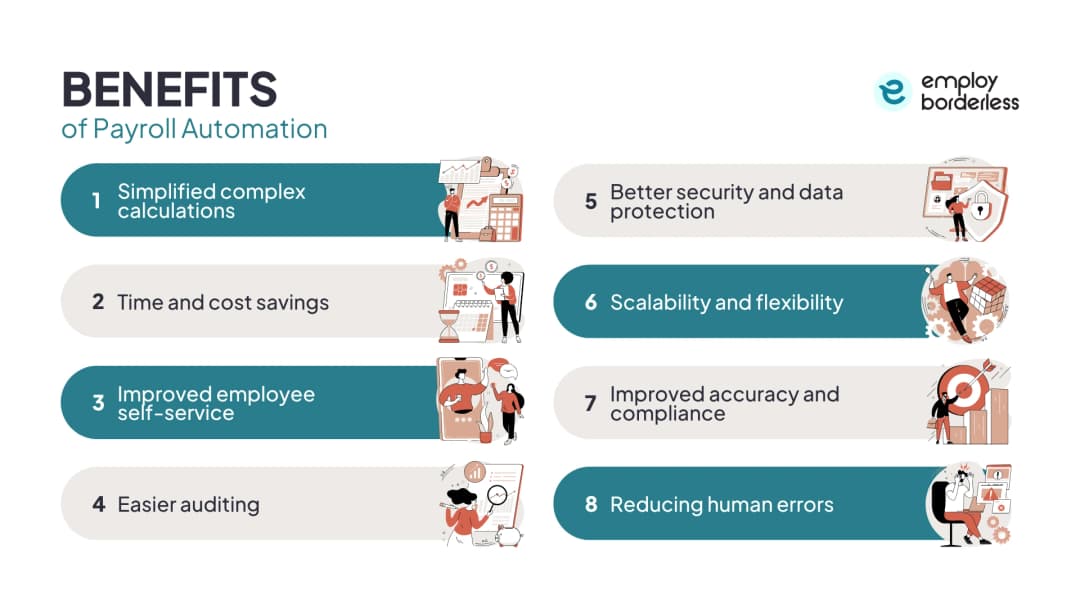
The benefits of payroll automation include simplified complex calculations, time and cost savings, improved employee self-service, easier auditing, better data security, scalability, improved accuracy and compliance, and a reduction in human errors.
Simplified complex calculations
Payroll calculations grow more complex as the workforce grows, adding overtime classifications, multi-state tax jurisdictions, benefit tiers, and commission structures that manual processes struggle to handle consistently. Automated systems apply the correct rules for each employee classification without requiring the payroll team to track differences manually. An employee working in California has different daily overtime rules than one in Texas. A commission-based worker's overtime calculation includes the commission in the regular rate of pay. Automated payroll handles both correctly by default.
Time and cost savings
Automated payroll reduces processing time from hours to minutes per cycle and removes the administrative overhead of error correction. Companies using payroll and HR automation tools report 37% time savings in payroll administration tasks compared with manual processes. That time saving compounds over a full year, particularly for businesses running biweekly payroll across a mid-size workforce. Automation also reduces the cost of compliance penalties.
Improved employee self-service
Employee self-service portals let workers access pay stubs, update tax withholding, change direct deposit accounts, and download W-2s without contacting HR. This reduces the routine administrative volume that occupies HR teams on paydays and at year's end. Employees get faster access to what they need, and HR gets time back. Portals also support real-time pay verification.
Easier auditing
Automated payroll systems generate a complete, timestamped audit trail of every calculation, approval, and change in the system. When the Department of Labor or IRS audits wage and hour compliance, the required records are available instantly. Manual records maintained across spreadsheets and physical files don't offer the same completeness or accessibility. The FLSA requires three years of payroll records, which automated systems retain by default and make searchable on demand.
Better security and data protection
Payroll data contains Social Security numbers, bank account details, salary figures, and in some cases medical data tied to leave or benefits - making it one of the most sensitive datasets a business manages. Automated payroll systems store this data in encrypted cloud environments with role-based access controls. Physical spreadsheets and paper-based systems carry an entirely different class of security risk. Most payroll platforms also maintain compliance with data protection regulations, including GDPR for businesses with European employees.
Scalability and flexibility
Manual payroll scales with headcount - every additional employee adds proportional work. Automated systems handle increasing employee counts, new locations, additional states, and changing compensation structures without requiring additional staff or system rebuilds. Adding 50 employees or expanding into a new state requires a configuration update in an automated system. The same change requires new procedures, updated spreadsheets, and retraining in a manual process.
Improved accuracy and compliance
Automated payroll systems apply consistent calculation rules every cycle, removing the human variability that produces most compliance failures. Tax rate updates deploy automatically. Overtime thresholds apply correctly by employee classification and state. Garnishment priority rules run in the correct sequence. The compliance benefit compounds for businesses with employees in multiple states, where tracking dozens of jurisdiction-specific requirements manually is the most common source of payroll penalties.
Reducing human errors
Human errors in manual payroll originate at data entry points, calculation steps, and the transfer of data between systems. Automation removes the manual entry points where most errors occur and validates data before each run through pre-payroll audit checks.
What are the challenges of payroll automation?
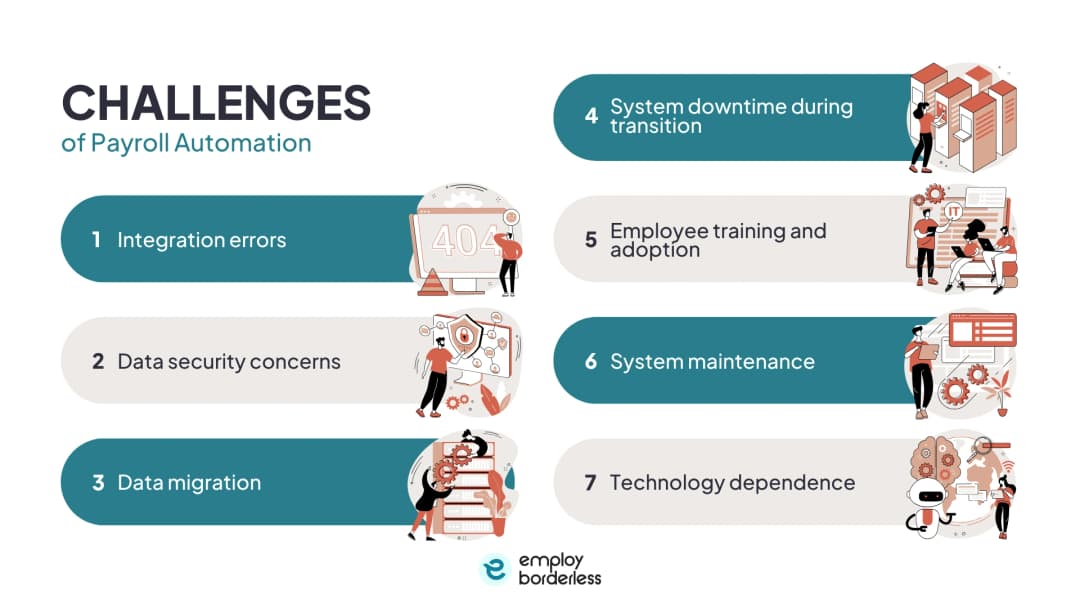
The challenges of payroll automation include integration errors, data security concerns, data migration complexity, system downtime during transition, employee training and adoption, ongoing system maintenance, and technology dependence.
The challenges of payroll automation are listed below.
Integration errors: Payroll systems that connect to HRIS platforms, time-tracking tools, and accounting software through APIs can produce data mismatches when those integrations fail or when connected systems update independently. An API change in the time-tracking platform that isn't reflected in the payroll integration produces silent errors that may not surface until the cycle is already closed.
Data security concerns: Cloud-based payroll systems hold sensitive employee data that makes them high-value targets for data breaches. Businesses must verify that their payroll provider maintains adequate encryption, access controls, and breach notification procedures. State data protection laws, including California's CCPA (California Consumer Privacy Act), impose specific obligations on how employee data is stored and processed that the payroll system must support.
Data migration: Migrating payroll history from a legacy system or manual records into a new platform is one of the most error-prone phases of automation. Year-to-date totals must transfer accurately for W-2 compliance. Incorrect classification codes, missing benefit elections, and historical pay rate errors in the source data all carry forward unless caught during validation.
System downtime during transition: A payroll system that goes offline during a scheduled pay run creates an immediate employee relations problem. Businesses should confirm the provider's uptime SLA (Service Level Agreement) and disaster recovery procedures before signing a contract. Running parallel payroll during the transition period provides a fallback if the new system experiences downtime.
Employee training and adoption: Payroll automation shifts workflows for everyone from the HR team to front-line managers who approve timesheets. Resistance to new systems and gaps in training are among the most common causes of errors in the first months after go-live. Manager training on timesheet deadlines is particularly important because a missed approval delays the entire payroll cycle.
System maintenance: Automated payroll systems require ongoing maintenance, such as annual tax table reviews, integration updates when connected systems change, and configuration adjustments when employment laws change. Businesses that treat go-live as the finish line rather than the starting point encounter compliance failures and integration breakdowns as the business and regulatory environment evolves.
Technology dependence: Full reliance on an automated system without manual fallback procedures creates operational risk if the system becomes unavailable or is discontinued. Businesses should maintain documented manual payroll procedures for emergency use and confirm that payroll data can be exported in a standard format in case a provider change is needed.
How does payroll automation help businesses prepare for the future?
Payroll automation helps businesses prepare for the future by moving payroll from a reactive processing function to a proactive workforce planning tool powered by predictive analytics, AI-driven exception management, and adaptive compliance systems.
Modern automated payroll platforms generate labor cost data that feeds directly into financial forecasting. Predictive analytics tools within payroll systems analyze historical payroll patterns to model future compensation costs under different headcount and compensation scenarios. Finance leaders can run workforce cost projections without requiring HR to pull manual reports.
AI-powered payroll features are already present in leading platforms. They analyze historical data to detect anomalies, flag unusual pay patterns that may indicate fraud or data errors, and manage complex exception handling that previously required manual review. Generative AI tools are beginning to appear in payroll platforms for scenario modeling, automated payroll insights, and compliance question answering.
The direction of payroll technology is toward fully intelligent systems that can identify a legislative change in a new state, update the configuration automatically, and alert the payroll team to review the adjustment before the next cycle runs. Businesses that build automated payroll foundations now are better positioned to adopt these capabilities as they mature. Those still running manual payroll in 2026 face a widening gap in both compliance responsiveness and workforce cost visibility.
How to choose the right payroll automation system?
To choose the right payroll automation system, evaluate ease of use, compliance coverage, integration capabilities, scalability, customer support quality, and employee self-service features against your specific workforce structure and geographic footprint.
Ease of use determines whether your payroll team will use the system correctly or find workarounds that reintroduce manual steps. A platform that requires specialist knowledge to run each cycle isn't automation in practice. Compliance coverage determines how well the system handles the states or countries where your employees work and how quickly it updates when tax laws change. Integration capabilities decide whether the system connects to your existing HRIS, accounting software, and time-tracking tools or requires manual data transfer between them.
Scalability matters most for growing businesses - a system that handles 50 employees efficiently may require a full replacement at 500. Customer support quality affects how quickly you can resolve an issue during a live payroll cycle. Employee self-service capability determines whether the system reduces or merely shifts the administrative burden on the HR team.
Is payroll automation software worth it?
Yes, payroll automation software is worth it for most businesses with five or more employees, because the time savings, error reduction, and compliance protection exceed the software cost at that scale. The cost of a compliance penalty or a single missed tax deadline usually exceeds the annual software fee for businesses running payroll across multiple employees, locations, or states.
What are the types of payroll automation software?
The types of payroll automation software are legacy ERP (Enterprise Resource Planning) systems, all-in-one HR platforms, and dedicated payroll software. Legacy ERP systems like SAP and Oracle include payroll modules within a larger suite, offering strong financial integration but at high costs and lengthy deployment. All-in-one HR platforms such as Employ Borderless, Rippling, Workday, and HiBob combine HRIS, payroll, benefits, and time tracking into one system. Dedicated payroll software like Gusto, ADP, and Paychex specializes in payroll processing and tax compliance, integrating with external HR and accounting tools.
When should I start using payroll automation software?
Payroll automation software becomes necessary when manual payroll processing is causing errors, consuming more time than the team has available, or when the business expands into a new state or hires its first international employee. The practical inflection point for most businesses is around 10 employees. Above that, varying deductions, different overtime eligibility, and growing benefits elections make consistent manual execution increasingly difficult. Any business operating in more than one state should automate before expanding.
Can automatic payroll processing handle multiple state tax requirements?
Yes, most global payroll automation platforms handle multi-state tax requirements, including different income tax rates, unemployment tax rates, minimum wage thresholds, and overtime rules that vary by state. Multi-state coverage quality differs among providers. Some platforms cover all 50 states with automatic tax updates, while others may lack support for smaller states or local taxes. Businesses with remote workers should verify each platform's coverage and update speed for legislative changes.
How long does it take to transition from manual to automatic payroll processing?
A transition from manual to automated payroll usually takes four to twelve weeks, depending on workforce size and data quality. Small businesses with straightforward payroll can go live in four to six weeks. Mid-size businesses with multiple pay groups, complex benefits structures, or existing HRIS integrations typically need eight to twelve weeks for payroll migration. The longest phase is usually data preparation and validation, not the software configuration itself.
How often do payroll systems need updates for tax changes?
Payroll systems need tax table updates at a minimum once per year at the federal level, when the IRS releases updated income tax withholding tables, Social Security wage bases, and Medicare surtax thresholds for the new tax year. Payroll systems for state minimum wages change on various effective dates throughout the year. FLSA overtime thresholds are subject to regulatory revision. Local tax rates in cities and counties change on their own legislative cycles.
What backup documentation should be kept when using automatic payroll?
Businesses using automated payroll should retain the same payroll records required under the FLSA regardless of whether the system stores them digitally, which include payroll registers, tax filing confirmations, direct deposit confirmations, and employee change logs for at least three years. The system must export records in a standard format. Confirming export capability is important, as provider relationships may end, making independent access necessary. Year-to-date payroll reports, W-2 files, and Form 941 copies should also be stored externally.
Can payroll be fully automated?
No, payroll cannot be fully automated with current technology. Most payroll calculations can be automated, but human oversight is essential for exceptions like off-cycle payments, classification changes, and disputes. Payroll automation aims to reduce manual tasks, allowing humans to focus on decisions and situations that require judgment.
What is the difference between payroll automation and robotic process automation in payroll?
Payroll automation uses specialized software to handle payroll tasks automatically. RPA (Robotic Process Automation) uses software bots to replicate human actions in existing systems, automating tasks beyond the payroll software's built-in capabilities. A payroll automation platform manages wage calculations, tax filings, and direct deposits. RPA is applied for tasks requiring navigation between different systems, such as transferring employee data from an HR portal to an older payroll system, submitting reports to government sites that require manual input, and reconciling payroll data across separate spreadsheets.

Co-founder, Employ Borderless
Robbin Schuchmann is the co-founder of Employ Borderless, an independent advisory platform for global employment. With years of experience analyzing EOR, PEO, and global payroll providers, he helps companies make informed decisions about international hiring.
Learning path · 10 articles
Payroll fundamentals
Master the fundamentals with our step-by-step guide.
Start the pathReady to hire globally?
Get a free, personalized recommendation for the best EOR provider based on your needs.
Get free recommendations