Justworks review 2026: pricing, verdict & alternatives
US-based small to mid-sized companies that want HR, payroll, and compliance handled in one place
Independent review of Justworks by Employ Borderless, scored on The Employ Borderless Standard.

Employ Borderless Standard · 10 of 10 pillars · how we score
- Countries
- 41
This is an independent review by Employ Borderless, the global hiring advisory platform that helps companies choose the right EOR, PEO, or global payroll provider. We are not an EOR provider. We help you choose one.
Verdict
Justworks is the US PEO we recommend for small and mid-sized American teams, with international EOR in the 41 countries we have verified as an add-on; skip it if global hiring is the main event.
Compliance and security both score 4.5 out of 5 in our review, and the PEO model brings benefits buying power smaller US teams cannot get alone. International EOR pricing is not published.
— Robbin Schuchmann, co-founder of Employ Borderless
How we are different · The Employ Borderless Standard: our methodology · Ask for advice
If you’re looking at Justworks as a potential partner, you’re probably trying to make sense of the mixed reviews. You’re seeing nothing but praise on review websites, while someone on Reddit is describing the company as “alright.”
It’s confusing, and it raises more questions than it answers.
That’s because most Justworks reviews barely scratch the surface and just rehash old information.
I have a different approach rooted in personal experience. I spent time on their platform, actually testing the features, comparing prices and looking for minor issues that might grow into problems as you start relying on the tool.
Plus, I’ve been in the industry for years, so I know how it all compares to other providers.
Bottom line: If you’re considering Justworks and looking for real-life experiences, this is the place to be. Pour yourself a cup of coffee, and let’s cut through the noise to see if Justworks really saves you time and money.
Should you choose Justworks?
Our call for seven common situations, from the same documented criteria we apply to every provider. Where a rival fits better, we link our review of it.
| Your situation | Our call | Why | Next step |
|---|---|---|---|
| Remote-first, hiring employees in 5+ countries | Look elsewhere | International coverage (41 verified countries) is an add-on, not the core product. | RemoFirst reviewMultiplier review |
| Contractors only, no employees | Consider | Contractor payments from $39 per month work; Deel’s Contractor of Record shifts classification risk entirely. | Deel review |
| Cheapest compliant option | Look elsewhere | No published international EOR pricing; a published $199 beats a quote. | RemoFirst review |
| Mid-market, around 250 employees | Consider | Strong for US-centric mid-market teams; thin for globally distributed ones. | Multiplier review |
| US-only startup, under 50 people | Choose it | Home turf: a PEO with benefits buying power and multi-state compliance, both scoring 9.0. | Visit Justworks |
| Enterprise, 1,000+ employees | Look elsewhere | Built for small and mid-sized teams, not enterprise procurement. | Remote reviewDeel review |
| Regulated industry, compliance first | Consider | Compliance (4.5 out of 5) is strong in the US context; internationally, ask for the employing entity in writing. | Remote review |
When not to use Justworks
Global hiring is the main event.
Justworks is a US PEO first; for international-first hiring, look at RemoFirst or Multiplier.
You want published international pricing.
Justworks publishes US PEO rates but not international EOR pricing; RemoFirst publishes $199 per employee per month.
Workforce analytics is a core requirement.
Reporting (4.1 out of 5) is among its lowest pillars in our scoring; look at Deel.
How we make money: we earn commissions and pre-negotiated discounts when you choose a provider through us. You pay nothing, and our methodology is independent of partner economics. Full disclosure
How Justworks scores
Each pillar is scored out of 5 in half steps, from our own testing and the provider’s published data. The terracotta mark on each row is the average of the 26 EOR providers we rate, so a row that runs past it is above the field.
field average
Measured
- Pricingprice list
- Country coverage41 coverage rows
- Compliancecontract and policy review
- Integrationspublished list
Judged, from hands-on testing
- Customer supporttested response times
- User experiencehands-on demo
- Featureshands-on demo
- Securitypolicy review
- Analytics and reportinghands-on demo
- Mobile apphands-on demo
Why 4.3
- Strongest
- Compliance.
- Also strong
- Security and customer support.
- Loses points
- Mobile app. The app handles everyday employee tasks well and feels easy to use on the go.
- Others say
- 4.3 out of 5 across G2, Trustpilot, Capterra and Glassdoor.
Read the pillar notes
Pricing
Justworks lays out its pricing clearly, but some plan (especially EOR) cost more than what similar providers charge. If budget is a priority, other options may offer better value for the same essentials.
Country coverage
Although not in the very top tier among providers, Justworks still offers solid coverage across 41 countries.
Compliance
A strong 4.5 out of 5 rating for compliance is based on how Justworks compares to other providers in this area. They show real depth in tax, multi-state, and employment-law compliance, and their audit trails and risk-management practices round out a well-built compliance setup.
Customer support
The 8.7 reflects quick response times and knowledgeable reps who genuinely help. Users consistently praise the human side of the team, though response times can slow during tax season and seasonal rushes.
Features
Justworks handles payroll, multi-state compliance, and benefits access well, and the PEO model gives smaller companies health plans they couldn’t get alone. The 8.5 reflects solid execution across core HR functions.
Security
A 9.0 security score reflects Justworks’ strong encryption, access controls, and ongoing testing that keep sensitive data protected. Their quick, supportive response to incidents adds extra reassurance.
User experience
The clean layout and workflow-based design work well for both admins and employees. The 8.7 reflects good overall usability with some gaps in mobile functionality and custom reporting.
Analytics and reporting
The reports handle basic HR and payroll tracking with a clean interface. The 8.1 reflects good everyday use, though combining data from different areas requires manual exports.
Integrations
Their integrations are generally strong, especially with QuickBooks and time tracking, which simplify daily work. I’ve seen a few limitations mentioned time and again, such as more manual work compared to competitors.
Mobile app
The app handles everyday employee tasks well and feels easy to use on the go. Some gaps in time tracking and limited admin functions kept the app from scoring a higher rating.
Watch our Justworks video review
Our sister brand, EOR Overview, created a short video walkthrough that covers the core points. The written review builds on those with more detail and real-world examples.
Why you can trust our reviews
We combine structured research with real-world global hiring experience. Our methodology is built by operators who've spent years working with EOR, PEO, and payroll providers across multiple markets.
- 10+ years in global hiring - hands-on experience selecting and working with EOR providers
- 5-layer research methodology - demos where providers grant access, review platforms (G2, Trustpilot, Capterra), communities, and provider validation
- The Employ Borderless Standard - our 10-pillar rating framework, scored out of 5 in half steps across features, country coverage, pricing, UX, support, integrations, mobile, analytics, security, and compliance
- Weighted review analysis- platforms with more reviews have higher impact (e.g. 2000 > 30)
- Independent - rankings are not influenced by affiliate partnerships
Built by practitioners, not publishers - so you can rely on it for real hiring decisions.

What is Justworks?
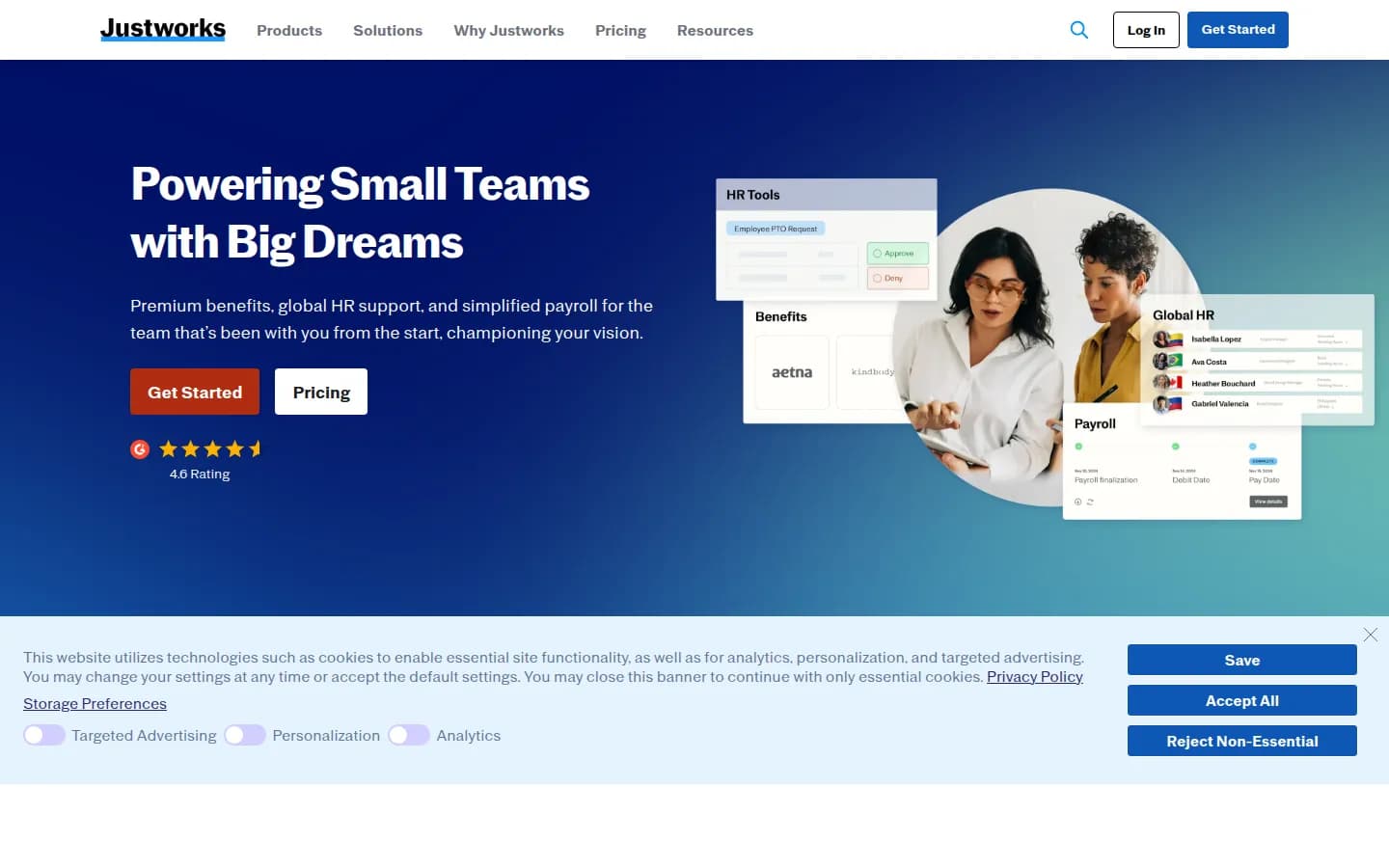
Justworks is a human resources solutions provider founded in 2012 and headquartered in New York. They offer dual capabilities as both a Professional Employment Organization (PEO) for US-based employees and an Employer of Record (EOR) for international talent. Their platform enables small and medium-sized businesses to hire globally without establishing legal entities abroad, with direct EOR services in 11 countries and partner support in over 100 more. Justworks handles all employment aspects including payroll, benefits administration, compliance, and onboarding. Their transparent pricing model and comprehensive HR tools make them particularly valuable for SMEs looking to expand internationally while maintaining full compliance with local employment laws.
| Founded | 2012 |
| Headquarters | New York City, US |
I have not yet run a hands-on demo of Justworks. This review is based on independent research: verified pricing pages, product documentation, aggregated user feedback from G2, Capterra, and Trustpilot, and community reports from Reddit and industry forums. When we complete a hands-on test-drive, this section will be updated with the full results.
What are the pros and cons of using Justworks?
Pros
Easy to use platform with a clean layout
Justworks platform has a simple, modern interface. It makes HR tasks easier for employers and employees. The shorter learning curve reduces admin work.
Strong multi-state compliance support
They keep up with state rules and tax requirements. This helps companies with people in more than one location.
Access to enterprise-level benefits
Small businesses can tap into health insurance options and other benefits usually reserved for larger organizations. This helps them attract and keep people.
Transparent per-employee pricing
The pricing is clear with no hidden fees or setup costs. This makes it easier to plan budgets.
Around-the-clock support
Justworks provides 24/7 assistance through multiple channels, so help is available always.
All-in-one HR setup
The platform removes the need for multiple systems and keeps workflows clear from onboarding through offboarding. In other words, it reduces the administrative burden.
Cons
Premium pricing compared to basic payroll providers
At $59 to $599 per employee each month, Justworks costs more than simpler payroll tools. The rates can feel high for small companies.
Limited customization
The standardized approach works well for typical scenarios but gives less room to adjust things for businesses with specialized employment arrangements (e.g. custom overtime rules).
Mobile app features not as strong as desktop
The mobile experience covers the basic self-service features for employees, but it doesn’t include all admin tools you get on desktop.
Lower international scope
The platform focuses on US-based employees and offers limited international support compared to large global Employer of Record (EOR) providers.
What are the features of Justworks?
As I reviewed the platform, a few key features stood out. These are the parts companies rely on most in their daily work and the “pieces” that carry the real operational load.
The main ones include:
Key features
Justworks handles payroll across states and covers direct deposits, tax calculations, and year-end forms in one place. They calculate and send federal, state, and local taxes through the platform. This cuts common multi-state admin work. You can set payment schedules and adjust pay rates with job codes. The system also creates W-2 and 1099 forms at the end of the year.
The platform covers core HR work with digital onboarding, organized document storage, and tracking of Paid Time Off (PTO). It keeps up with federal, state, and local rules and offers clear guidance as requirements change. It also includes workers’ compensation and EPLI coverage. These protections help companies manage common employment issues without adding extra vendors.
Through its PEO model, Justworks gives smaller companies access to health insurance plans that are usually available only to larger employers. The Plus Plan includes medical, dental, and vision coverage along with Health Savings and Flexible Spending accounts (HSA and FSA) and a set of wellness perks. This level of access helps smaller companies offer benefits that stay competitive next to bigger employers.
Justworks centralizes workforce management through a clean interface for employers and employees. The dashboard gives quick access to payroll, benefits, and oversight tools. Employees can view pay, choose benefits, and submit time-off requests. This setup simplifies daily tasks across the organization.
The platform uses a clear layout that makes HR tasks easier to manage without overloading new administrators. Employees can reach their personal details, benefits, and onboarding steps with little effort. This setup helps people pick up the system faster and spend less time searching for basic information.
Justworks handles state tax rules, unemployment insurance, and other requirements for people working in different locations. It applies the right regulations based on where people live and work. This takes pressure off your admin load as you hire across more states.
The provider offers 24/7 support through email and chat. You can book video calls when a situation needs more attention. It also includes a detailed knowledge base with country-specific guides for common employment questions. This mix of live help and resources makes it easier to solve issues when they come up.
What are the benefits of Justworks?
Beyond individual features, here are the broader advantages of using Justworks as your employer of record.
Reduced administrative burden
Justworks brings payroll, benefits, compliance, and employee management into one place. This reduces routine admin work and gives companies more time for daily operations.
Access to enterprise-level benefits
Small businesses can tap into premium benefits plans that are usually reserved for bigger companies. With Justworks’ group buying power, a company with five people can offer medical, dental, and vision coverage at rates they would not get on their own. Better benefits make hiring and keeping people easier.
Simplified compliance management
Justworks takes care of routine legal and regulatory work across different states and eases the load on internal staff. The platform handles tax filings, workers’ comp requirements, and other key obligations automatically. This helps companies with employees in several states, where labor rules rarely match.
Time and cost savings
Companies using Justworks report time savings across payroll, benefits work, and compliance tasks. The platform reduces the amount of HR work that usually calls for extra staff or outside services. This can cut overall costs for growing companies and users often point to ROI from direct savings and from the drop in compliance risk and daily inefficiency.
Good employee experience
Employees get a simple self-service portal where they can check pay, review benefits, and find key company info without contacting HR. The interface and mobile app make everyday tasks like pulling a paystub, requesting time off, or updating benefits choices quick and easy.
Predictable HR expenses
Justworks uses a clear monthly rate, with no add-ons or extra fees. They don't charge for routine tasks like bonus payments or updating employee details. That makes planning easier.
What is the geographic coverage of Justworks?
Justworks has partners in 41 countries. In key markets, they use their own local entities for extra support. They can pay international contractors in local currency or in USD across 60+ countries.
Bottom line: The coverage is not the broadest available, but they’re present in the major hiring markets where most companies look for talent.
What this means for you: If you hire in the major talent markets, Justworks has you covered; if your plans include a long tail of smaller countries, confirm each one is supported before committing.
Justworks covers 41 countries across Europe, Americas, Asia, and more. Search below to check if your target country is supported.
- Germany
- Bulgaria
- Croatia
- Cyprus
- Estonia
- Finland
- Georgia
- Israel
- Kenya
- Latvia
- New Zealand
- Norway
Justworks pricing
Justworks pricing starts from $39 per employee/month for contractor management and $8 per employee/month for global payroll.
I’m listing the main Justworks pricing plans below. Think about them in terms of value, not just the price tag.
For example, Justworks’ PEO setup lets smaller companies tap into enterprise-level benefits that would otherwise be out of reach.
That’s a big plus for small and mid-size businesses that want to offer strong benefits.
Their offers are tiered and flexible: from basic payroll processing ($8/employee + $50 base) to full PEO services ($59-$109/employee) to global EOR services ($599/employee). This allows clients to use the plans that make sense right now and scale up as they grow.
Let’s break down all pricing plans and compare them to other providers.
Payroll plan
The Payroll plan includes basic payroll processing, HR tools, expert support, and time-tracking for teams just getting started with simple payroll.
Base fee per month: $50
Cost per employee per month: $8
PEO Basic plan
This plan includes payroll processing, tax filings, compliance support, HR consulting and tools, contractor payments, workers’ compensation, 24/7 support, 401(k) administration, and access to time tracking.
Cost per employee per month: $59
PEO Plus plan: broader health insurance
The PEO Plus plan includes everything in the PEO Basic plan plus health insurance administration, HSA/FSA accounts, mental health benefits, and fertility benefits.
Cost per employee per month: $109
EOR plan: transparent pricing but not cheap
The EOR plan includes global hiring capabilities, global HR support, and global compliance support for teams looking to expand internationally.
Cost per employee per month: $599
Special pricing
Justworks offers nonprofit discounts, which are available for 501(c)(3) organizations (contact for details).
The table below shows these plans broken down by service.
What this means for you: Start on payroll, move up to PEO for enterprise-grade benefits as you grow, and add EOR only if you hire abroad. Price the tier you actually need, since the jump to EOR at $599 is steep.
| Service | Price |
|---|---|
| Contractor management | $39per employee/month |
| Global payroll | $8per employee/month |
Pricing sourced from Justworks's pricing page · verified Sep 2026
Before you sign, ask Justworks to confirm in writing
Undocumented fees only bind the provider once they are on paper. These five come straight from what Justworks does and does not publish.
- In writing: whether a security deposit is required, how many months, and when it is refunded — Justworks does not publish this.
- In writing: the FX markup applied when payroll is funded in your currency — Justworks does not publish this.
- In writing: what offboarding or termination costs when an employee leaves — Justworks does not publish this.
- In writing: any one-time setup or onboarding fees per employee — Justworks does not publish this.
- In writing: the minimum contract term and what early exit costs — Justworks does not publish this.
What is the user experience of Justworks like?
After spending time on the platform and talking with people who use it every day, I noticed a few patterns. Most of them are good; others, not so much.
Still, the rough spots are predictable once you know what to expect, so it’s fairly easy to adapt.
Let’s dig deeper.
Clean and simple layout
The interface feels calm, that’s a good word for it.
You land on a dashboard that makes sense, and it stays that way as you move through payroll, onboarding, or benefits. There’s no clutter, and the main tasks are easy to locate.
This makes it accessible across the board, even for users without HR expertise.
Dashboard built for real work
The employer dashboard gives quick access to the main HR tasks. That’s a big plus.
Everything is organized by workflow instead of feature set, which reflects how people actually work. New admins are likely to pick this up quickly, and basic steps like processing payroll or approving time off tend to feel easier to complete.
Employees get a simple space of their own, with clear access to pay details, benefits choices, personal information, and company documents. The self-service setup lets people handle their own updates and reduces the number of requests that land on the HR desk.
Clear, guided onboarding
The onboarding workflow deserves a separate mention because it stands out for clarity in each step.
You move through tasks with simple instructions and clear status markers. This makes it easy to see what’s done and what still needs attention (and that’s coming from someone who knows how messy things can get here).
Mobile: strong basics, limited depth
The mobile app does not match the full desktop experience, but it covers the essentials.
Employees can check paystubs, review benefits, request time off, and look up coworkers on the go. I’ll cover the mobile experience in more detail in a separate section dedicated to the mobile app.
Reporting that covers the core needs
Recent updates have made the reporting interface easier to use and better overall.
However, it still lacks the advanced customization you’d get from a dedicated HRIS. The built-in reports cover core metrics like headcount, costs, and time-off usage. For anything more detailed, you’ll usually export the data and work with it outside the platform.
Note: HRIS stands for Human Resources Information System
What this means for you: The platform is easy to pick up even if no one on your team has HR experience, so getting your admins up to speed will not be a project in itself.
How is the customer support at Justworks?
Customer reviews often point to support as one of Justworks’ biggest strengths. That was my experience, too.
Many people mention quick replies and knowledgeable representatives who sort things out without delay.
The human side of the team comes up a lot, too. I’ve seen one client put it like this: “I love the HUMANS at Justworks! 9 times out of 10, when you reach out via email or phone, someone goes above and beyond to respond to your question or concern”.
Let’s look at the different aspects of their support.
Detailed knowledge base
The knowledge base is thorough, easy to use, and it actually helps (not always the case with other providers).
It includes step-by-step guides for common tasks, clear explanations for compliance requirements, and documentation that covers most day-to-day scenarios.
Everything is organized well, and the content is updated regularly as regulations or platform features change.
Strong technical support
Apart from basic requests, technical support offers extra escalation options for urgent issues tied to payroll or compliance. The support team is trained to handle both platform questions and more complex compliance topics, which is especially helpful for businesses without dedicated HR specialists. And the support is available 24/7, as it should be.
Room for improvement
Support quality is very good overall, but some users mention slower response times during busy periods, especially during tax season. I’ve seen reports of delays at the ends of busy months.
As the company has grown, they’ve expanded the support team, and users have noticed faster responses over the past year.
What this means for you: Support is consistently Justworks' standout. If responsive, human help matters more to you than the broadest feature set, that is a strong reason to choose them.
What integrations does Justworks offer?
Justworks offers a solid set of integrations that help teams connect payroll, accounting, hiring, and employee management tools without extra busywork. The goal is to keep data consistent across systems and minimize manual updates.
Accounting tools
Justworks connects with several well-known accounting platforms, including:
QuickBooks
Xero
NetSuite
Sage Intacct
These integrations transfer invoice data with a simple setup and keep your books in sync once everything is connected.
Hiring tools
For applicant tracking, Justworks integrates with:
Greenhouse Recruiting
JazzHR
Lever
These connections move candidate information into Justworks and remind you to add new hires into the platform once they’re approved.
Open Authorization integrations
The platform also syncs data with tools that support performance, feedback, and team operations. The following integrations work via Open Authorization (OAuth), which means no passwords are shared in the process.
Culture Amp
15Five
Leapsome
Brex
Ramp
Trainual
Carta
Vanta
Electric AI
allwhere
Note: You get insight into the data shared for each integration (“Data & permissions” tab).
Time tracking
For time tracking, Justworks offers:
Justworks Hours as a native add-on
Integrations with TSheets and Deputy for teams that need different scheduling or time tracking setups
How integration setups work
Most integrations follow a guided setup inside the Justworks dashboard.
Admins with the right permissions can open the Integrations page, choose the tool they want, and walk through a simple connection process. OAuth is used for supported tools, so no passwords are shared during setup.
API access
Justworks does offer API access for teams that need custom connections, though it usually requires some technical help to set up.
Where users see limits
The current integration list covers the main areas most small businesses rely on, especially accounting. Companies that need a very large library of third-party connections might find the options lighter than some competitors.
For straightforward needs, though, the available tools cover the core workflows well.
What this means for you: If your stack runs on mainstream accounting and ATS tools, Justworks connects to them out of the box and saves you double data entry; niche tools may still need manual work.
What about Justworks's mobile app?
With a rating of 4.8 on the Apple App Store and 4.4 on Google Play, the Justworks app seems to be doing a good job of making people’s lives easier.
While testing it, I could see why that is.
The screen opens fast, and the main actions take only a few taps.
In my experience, that simplicity is likely the main factor behind the high ratings.
Quick access to key info
The app brings common tasks into one place. People can check pay, benefits, and time off from their phone.
Note: At the time of writing this review, paystubs and the calendar are only available to PEO users.
Clear view of pay and benefits
PEO users can open current and past paystubs. When benefits are enabled, workers can see plan details and share digital cards.
This allows them to check their pay history, confirm deductions, and insurance details.
It saves time and cuts down on back-and-forth.
Fast time off requests
Workers can view their balance and send requests. Managers can approve them in the app.
This keeps things moving and reduces the need for email or desktop access.
Simple expenses and hour tracking
PEO users can submit expenses with receipt photos. When time tracking is enabled, employees and contractors can track time right from the home tab.
Time-tracking features include:
Clocking in and out
Managing breaks
Adding or editing shifts
Adding shift details
Note: Workers/employees who do not clock in and out can enter hours through timecards. This feature is limited to hourly workers and non-exempt salaried workers on a biweekly pay schedule. Admins can only approve timecards from the desktop version.
Helpful directory and basic updates
The directory makes it easy to find coworkers and allows people to update their profile details. This makes communication easier and keeps contact details accurate.
PEO users can also see a company calendar with important dates like paydays, holidays, and upcoming time off.
Limits for admin users
The app covers worker tasks only. Admin setup tasks still require the desktop version.
In my experience, that’s not a substantial issue because most admins prefer desktops for complex tasks.
What this means for you: The app is a strong point for employee self-service, but note that paystubs and the calendar are PEO-only, so non-PEO users get a lighter experience.
What analytics and reporting features does Justworks include?
Reports live under the Company menu in the dashboard and cover all core metrics. However, for custom reports that combine data across modules, users still need to rely on data exports.
Below is a breakdown of the report types, followed by the strengths and limitations of Justworks’ analytics.
Pre-built reports
The platform offers a set of ready-made reports across HR, payroll, and benefits. These include census data, onboarding progress, training status, time off activity, hours worked, pay changes, 1099 previews, PPP reports, and benefits usage. All reports can be exported as CSV files.
Note: PPP stands for Paycheck Protection Program
People Analytics
People Analytics was launched in April 2024 through a partnership with Visier. It adds visual dashboards and a flexible export tool that lets users save templates and schedule recurring email reports.
Filters and permissions
Admins can filter reports by department, office, employee type, and date range. They can select which data fields to include. Access follows permission settings to protect sensitive information.
Strengths
In my opinion, the main strengths of Justworks analytics and reporting are:
The interface is simple.
Reports cover common needs across HR and payroll.
Users can sort data, export it, and build custom payroll views.
Templates and email scheduling support ongoing reporting.
Limitations
The main limitations are:
The tool cannot combine payroll, benefits, and time off data into one custom report.
For deeper reporting, users need to export separate files and merge them on their own.
People Analytics does not include historical data from before a company joined Justworks.
Full Insight features are limited to the Plus plan.
Plan differences
Basic plans include Data Exports and limited Insights tools. Plus plans include the full Insights suite.
Metrics available
Available metrics include headcount, turnover, compensation trends, benefits enrollment, benefits costs, payroll totals, employer taxes, PTO balances, requests, and accruals.
What this means for you: Standard HR and payroll reporting is well covered, but custom reports that combine data across modules mean exporting to CSV and building them yourself.
How secure is Justworks?
Justworks protects customer data across storage, access, and daily operations. They use encryption, multi-factor authentication, testing, and clear response steps for security events.
Let’s look into the different security aspects.
Data protection
Data is encrypted at rest, and secure channels protect it in transit.. Encryption means the information is “locked” in a way that only approved systems can read.
Justwork uses data loss prevention tools that prevent sensitive information from leaving the platform by mistake. Sensitive items such as pay details and census data always move through secure channels.
What this means for you: Your sensitive information stays safe at all times.
Access control
Access is controlled in a few main ways:
Multi-factor authentication (MFA) is required to log in. This adds a second step, such as a code sent to your device.
Role-based access limits who can see sensitive fields.
A structured process for onboarding and offboarding keeps access current and closes accounts when they’re no longer needed.
Password vaults store privileged accounts.
What this means for you: Only the right people can reach the data they need.
Monitoring and incident response
Justworks uses automated code scanning to detect issues as code is written. They also run penetration tests that simulate real attack methods. A bug bounty program brings in outside researchers who report problems they find.
Finally, the platform is hosted on Amazon Web Services (AWS) and uses firewalls, network filters, and endpoint protection to guard both servers and devices.
What this means for you: The platform is tested often and protected at multiple layers.
Strengths
The program includes strong technical controls such as encryption, MFA, testing, and broad monitoring. AWS hosting adds physical and network protections. Documented processes support incident handling and general risk management.
Limits
All customer data stays on AWS servers in the United States. This may not fit companies that need data hosted in other regions.
Although Justworks is SOC 1 and SOC 2 compliant, IRS-certified, and ESAC-accredited, detailed audit reports are not publicly available for download.
What this means for you: You may need to confirm data location and compliance details if your company has strict requirements.
What compliance standards does Justworks meet?
As a PEO, Justworks provides extensive compliance support, including:
Tax filing: Automated tax filings and remittance at the federal, state, and local levels
Multi-state support: Management of different state regulations
Employment law guidance: Help with employment regulations at all levels, from federal to local
ACA compliance: Support with all requirements of the Affordable Care Act
Insurance requirements: Management of workers’ compensation and other mandatory coverage
Audit logs and risk management
The platform includes audit trails for sensitive actions. These logs support internal governance needs and external compliance verification. Logged events include permission changes, payment approvals, and document access.
Justworks’ governance and risk management approach includes broad policies and regular risk assessments. These steps help keep the platform secure and compliant as regulations change. The company’s transparency about security practices shows a mature approach to handling sensitive information.
What this means for you: You get broad support across tax, insurance, and employment rules without managing these steps on your own.
What does Justworks's platform look like?
Here's a quick look at Justworks's platform and key features in action.
What do users say on review platforms?
User feedback across major review platforms reveals a few patterns. The points below summarize the main ones, followed by the actual ratings and number of reviews on G2, Trustpilot, and Capterra.
Key patterns and common themes
Easy to use with strong support: Many users say the product is simple to use. They also note quick replies and helpful guidance from the support team.
Solid compliance and benefits support: Users appreciate help with tax filings, multi-state rules, and access to stronger benefits, which matters for smaller companies.
Limits in advanced features and stability: Some users want deeper reporting and customization as they grow. Others mention occasional technical issues or gaps in the mobile app.
Mixed ratings across platforms: As you can see below, G2 and Capterra show high scores with large review counts. Trustpilot is lower, but with far fewer reviews.
| Platform | Rating | Reviews |
|---|---|---|
| G2 | 4.6 | 1,127 |
| Trustpilot | 1.9 | 34 |
| Capterra | 4.6 | 741 |
| Glassdoor | 3.2 | 533 |
| Weighted average | 4.3out of 5 | 2,435 |
Most users have a solid experience with Justworks. High ratings on G2 and Capterra speak volumes, especially since those platforms have far more reviews than Trustpilot.
Ratings sourced directly from each platform. Weighted by number of reviews. Last updated September 2026.
What do Justworks users say on Reddit?
Review platforms collect star ratings; Reddit is where people describe what actually happened. We screened 25 community mentions of Justworks for relevance, set aside 1 from accounts that read as promotional, and kept 24. Of those, 16 are first-hand accounts from people who used Justworks themselves. The complaints cluster around customer support.
Positive 6 · 25%Neutral 9 · 38%Negative 9 · 38%
“we were told that we switched over to a new PEO system (using some company called Justworks) and a mistake was made so none of us will be able to contribute to our 401Ks until 2023.”
“My people got insurance that they could afford and kept them alive. It was worth it for me. Good service as well”
“no state income tax is being withheld for this individual because we're using the Florida address.”
Reddit is anonymous, so no single comment is a verdict. We verify that each mention is genuinely about Justworks and exclude accounts that look promotional, but we cannot verify individual claims. Newest mention from April 2026.
How does Justworks compare with the alternatives?
Published EOR fees and public review scores at our last check. Price and coverage are the starting point; the entity model in the countries you need decides it.
| Provider | EOR from | Countries | G2 | Our score |
|---|---|---|---|---|
| Justworks | Not published | 41 | 4.6 (1,127) | 4.3 out of 5 |
| Remote | $699/mo | 186 | 4.5 (5,008) | 4.5 out of 5 |
| Deel | $599/mo | 153 | 4.7 (6,983) | 4.5 out of 5 |
| Hire with Columbus | $179/mo | 193 | 5.0 (16) | 4.5 out of 5 |
| RemoFirst | $199/mo | 193 | 4.5 (407) | 4.7 out of 5 |
| Rippling | Not published | 83 | 4.8 (13,424) | 4.5 out of 5 |
Keep exploring
Compare Justworks
Best-of guides by use case
Best EOR by country
The facts in one line
Employ Borderless review: Justworks, US-first PEO with international EOR in 41 verified countries, overall 4.3 out of 5, evaluated September 2026.
Frequently asked questions about Justworks
What is the difference between Justworks' PEO Basic and PEO Plus plans?
Does Justworks handle multi-state employment?
How long does implementation take with Justworks?
Can Justworks help with benefits administration?
Is Justworks suitable for startups?
How does Justworks compare to basic payroll providers like Gusto?
Need help choosing? Get a free recommendation in 24 hours
Tell us about your team and we'll recommend the best EOR provider for your needs - free and independent.
